How to Apply
Three simple steps to secure your seat.
01
Pay the Admission Fee
Transfer the admission fee via bank transfer, UPI, or cash / cheque. Our bank details are listed below.
02
Keep These Documents Ready
You will need these three documents for the admission form:
- Passport-size photo (JPG/PNG, under 100 KB)
- Screenshot or photo of your payment receipt
03
Fill the Online Admission Form
Click the button below to open the Google Form. It takes less than 5 minutes to complete.
Open Admission FormBank Transfer Details
Prefer to pay online? Click here to pay via Razorpay
More Consultancy
ICICI Bank Ltd · Current Account
Account Number 003905502043
IFSC Code ICIC0000039
Branch Shivaji Nagar, Pune
UPI ID MSMORECONSULTANCY.eazypay@icici
Scan to Pay via UPI
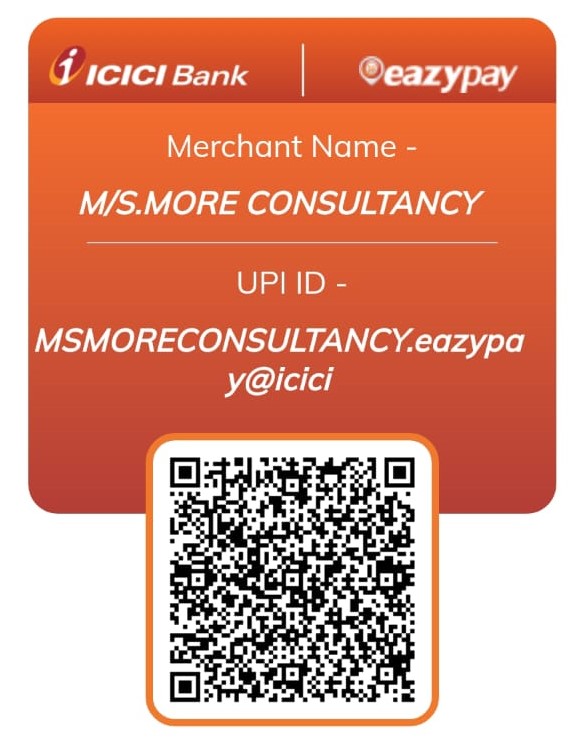
Works with GPay, PhonePe, Paytm & all UPI apps
Pay Online Instantly
Prefer to pay from home? Use our secure Razorpay payment link — accepts UPI, cards, net banking, and wallets.
After your form is submitted and your admission is confirmed, you will be added to the class WhatsApp group two days before your batch begins.
Need help with the process?
Call or WhatsApp Us